Point and call goes a long way

Point and call is an managerial tool that is very simple to implement and it goes a long way in ensuring both safety of operations, and correctness of code.

Point and call is an managerial tool that is very simple to implement and it goes a long way in ensuring both safety of operations, and correctness of code.
The android app for learning jiu-jitsu has been released.
With the assistance of AI, we created this logo for a client project.
Generated concept art.
With AI assistance, we have created this logo for a client website.
I was asked to contribute to a tattoo design. The client wanted a tarot card tattooed on his forearm. I collected several proposals, and upon receiving approval, edited the selected picture to be well-suited for a tattoo. Originally, the client wanted it in color. But one of the iterations I did looks so good in black and white that he agreed that it was the best one. The final image was the black-and-white one, with color replaced by a pattern.
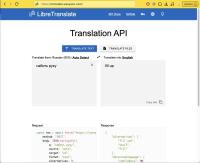
We are proud to announce that WasyaCo has deployed its own copy of the free and open-source libretranslate service.
2026-01-05
A customer watched their referral numbers climb steadily for months—until it suddenly slowed down.
By the time we spoke, the frustration was clear. The team had invested real effort into building momentum, so the hiccup felt personal. Their first order of business was to regain control by making a few adjustments to the program.
As we walked through what had changed, the issue came into sharp focus. The program itself hadn’t failed, no. But the attitude around it had shifted.
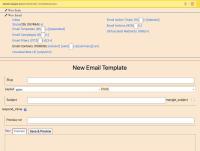
Functionality update: micros_email now allows email templates to respond_inline .
This means that if there is an automatic action on a received email, the sender will receive their own message that the system responds to. An automatic email responder that uses an email template, carries over the history of the conversation to the recipient. This option is enabled by default.
Enabling this option should greatly clarify why there is an autoresponder, and help the sender take the right action, which in most cases is to fill out a web form.
Someone just sent me 10 messages, each 1 word in length, and I got pretty upset about it. Yet at the same time, I got pro-active and decided to explain to that person why I don't allow such empty messages in my communication. She thankfully understood my position, so I kept her as a friend.
I have seen this error, which has prevented cron runs for over a month.
You'd have to resolve the underlying error by running the cron from drush and fixing whatever problem it reports:
./vendor/bin/drush core:cronNote that not have the base_url set is NOT a problem, you don't need to set it in Drupal 8 9 or 10, and you can run it via drush like so:
First published on 2022-12-19
Recently, github.com fell victim to a hacking attack. What started as an attack on coinbase, became an internet-wide attack that exposed sensitive data in some 23,000 repositories.