A continuación se explica una de las características que Annesque, nuestro cliente de correo electrónico, ofrece a sus usuarios. Por favor, veamos Página del proyecto de Annesque para más información.
~ ♪♪
Una característica y otra razón para utilizar nuestro cliente de correo electrónico es la muestra aparente de la información del remitente y del receptor. Usted pensaría que este es un tema totalmente obvio que no necesita ser resuelto, pero he encontrado y específicamente lo he abordado como un problema que necesita ser abordado.
Nota: Sólo estoy comparando con gmail y roundcube, ya que otros proveedores de correo electrónico podrían eliminar mensajes antiguos, o (2) anuncios de visualización, pero me imagino que el siguiente argumento se aplica a todos, ya que todos los proveedores tienden a converger a un único, casi centralmente controlado, conjunto de características.
Nota: Los ejemplos a continuación presentan algunos de mis correos electrónicos reales. Esto es sólo para fines ilustrativos.
Recientemente he notado que el gmail obfusa tanto el remitente como el receptor del correo electrónico. (Y lo mismo, a una extensión aún peor, ocurre en roundcube, por lo que he tomado la decisión de excluir a roundcube de la pila de correo electrónico de Annesque.) Si hay un correo electrónico, ¿quién lo envió?
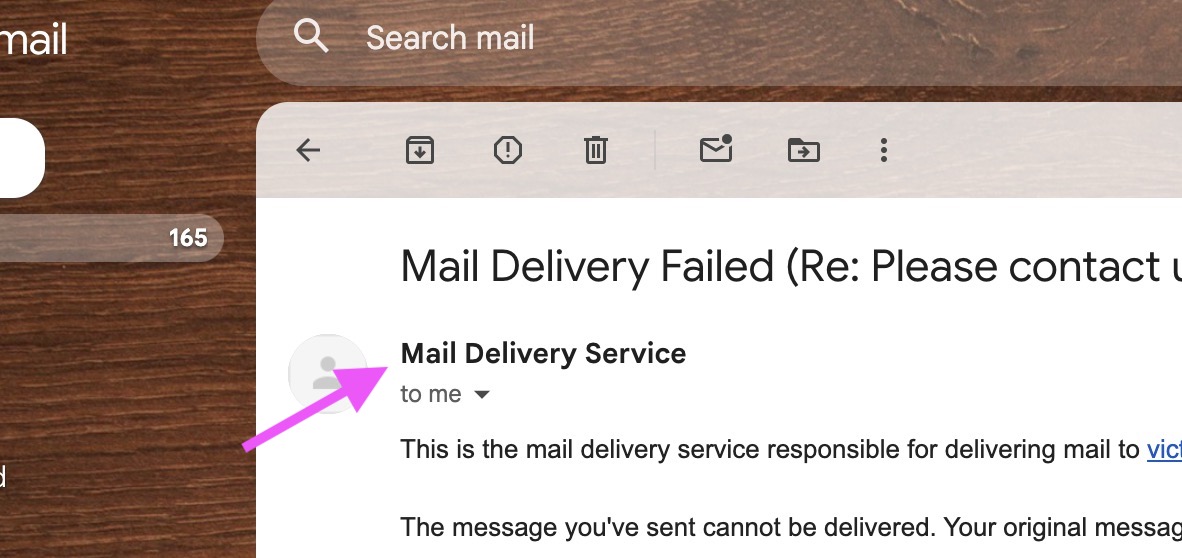
No lo sabemos de inmediato -- Tengo que hacer clic en una flecha para averiguar:
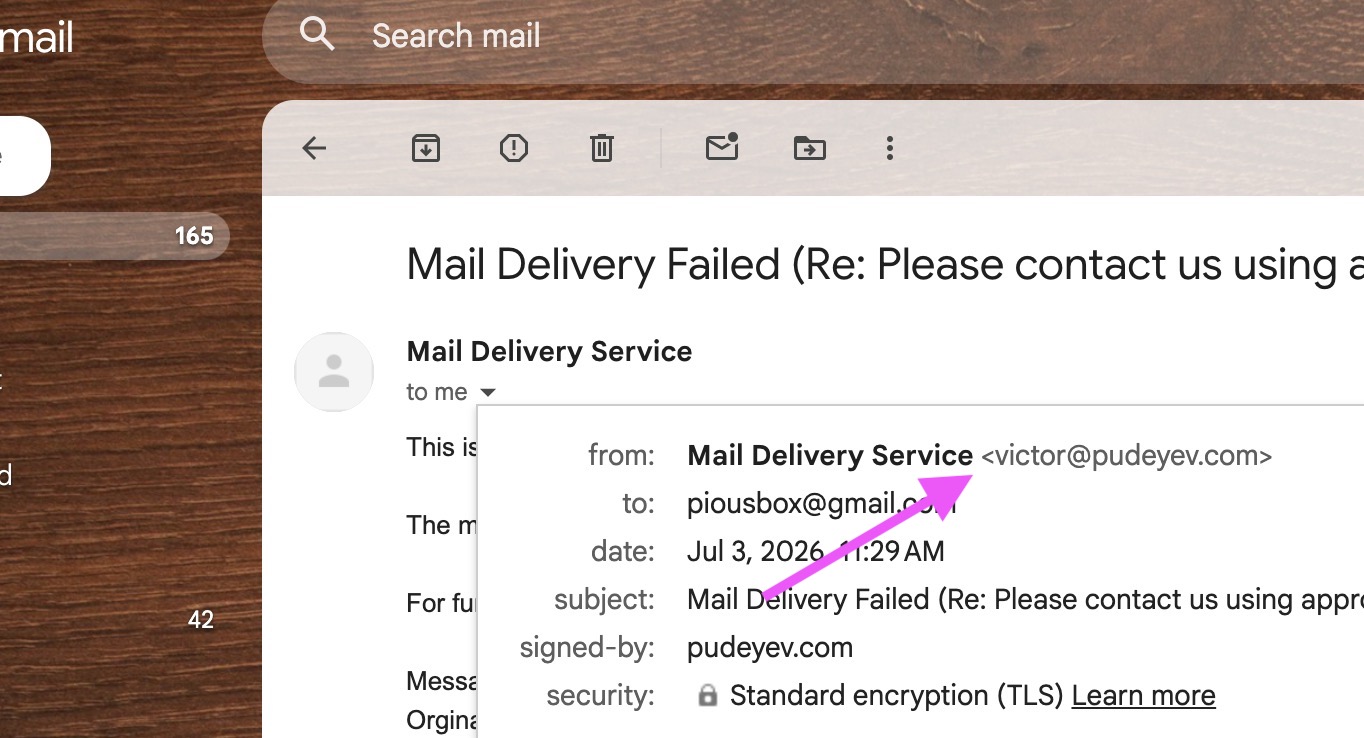
Resulta que fue ese correo electrónico, que no es obvio mientras mira la conversación.
Del mismo modo, el gmail obfusa al receptor. ¿Quién es "yo", exactamente? Tengo más de una docena de correos electrónicos, y el cliente de Annesque me permite recibir *todo* de ellos a una sola bandeja de entrada. Necesito saber quién es el receptor.
En el cliente de Annesque, tanto el remitente como el receptor son inmediatamente visibles:
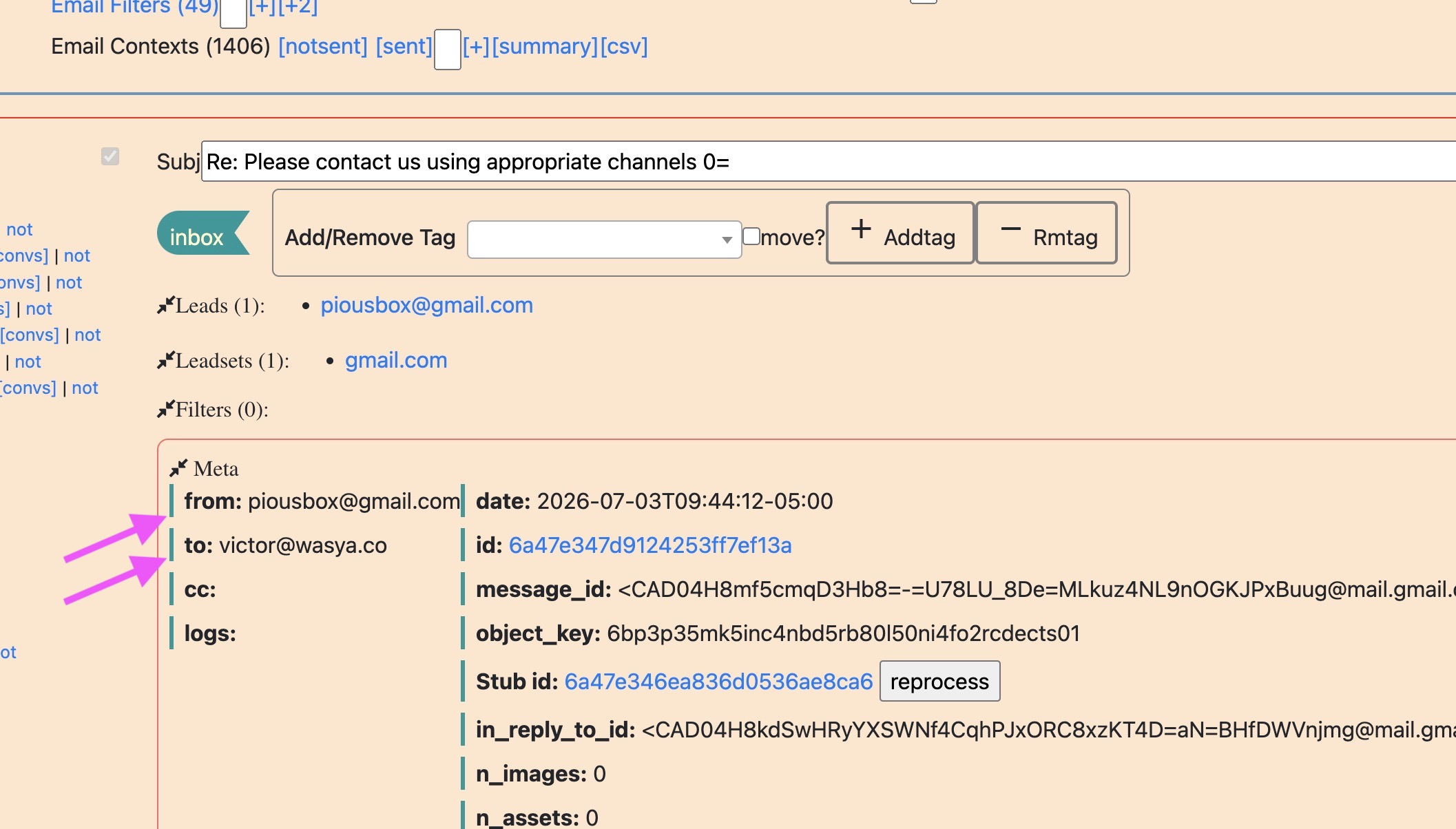
Hacer la comunicación una brisa. Puedes mantener todas las identidades alineadas con tus expectativas.
Lo que es peor, gmail obfusa la identidad a la que respondes, de manera diferente:
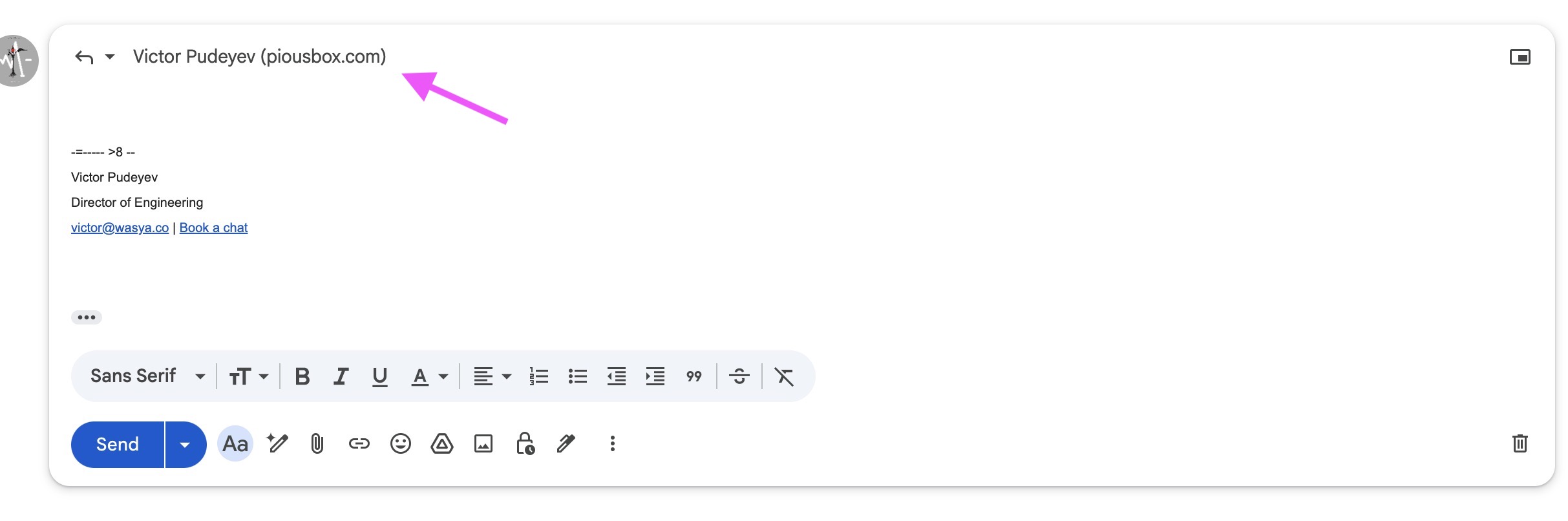
Eso no es un email. ¿Puedo saber a qué correo electrónico se enviará la respuesta, haciendo clic en algo? Como me enteré sólo mientras escribí este artículo, puedes. Tienes que hacer clic en él y luego pasar sobre él:
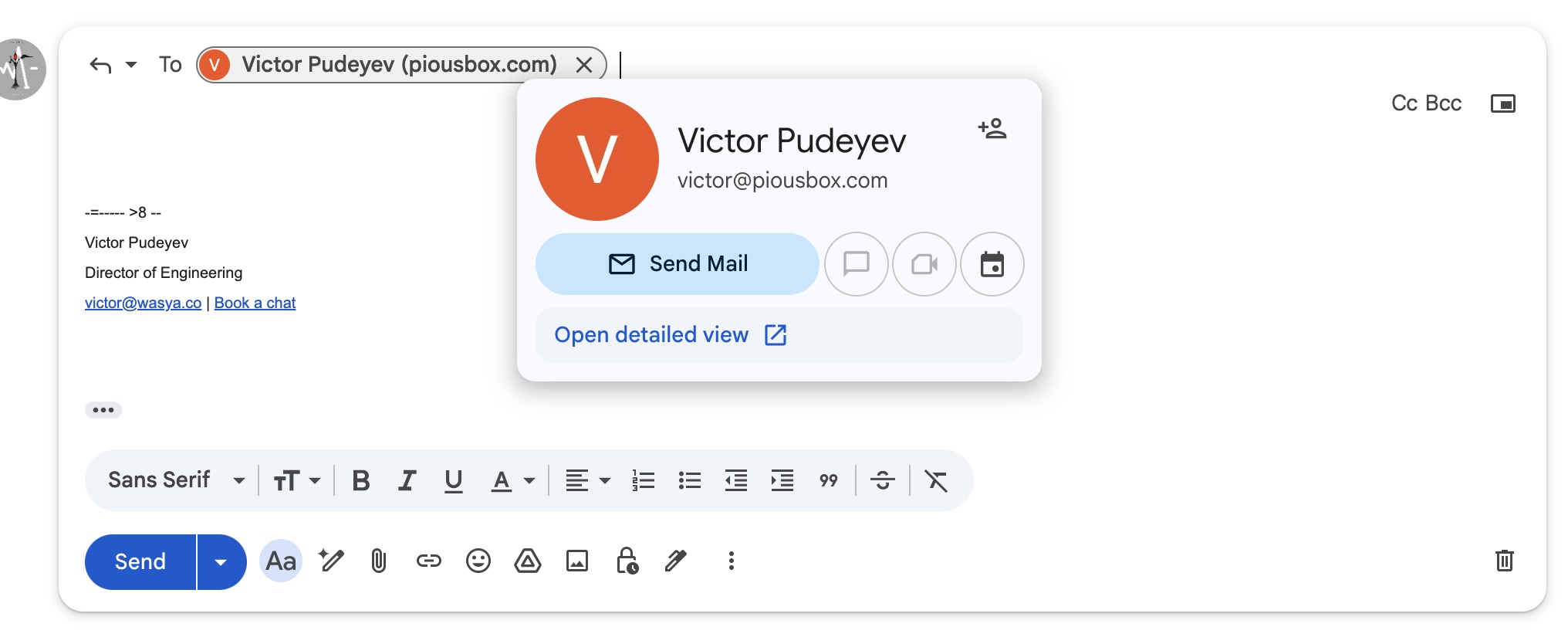
que es un montón de clic y hovering para evitar que el gmail obfuseca información que debe ser inmediatamente visible. Ahora tendría que confiar tanto en el remitente como en el gmail para dirigir mis mensajes de acuerdo a mi expectativa, sin definir lo que es esa expectativa! o (2) luchar contra el gmail y el clic y el hover, y recordar hacer eso cada vez, sólo para verificar algo que debe ser automático.
En cambio, tanto el remitente (como hay múltiples opciones) como el receptor son inmediatamente visibles en el cliente Annesque:
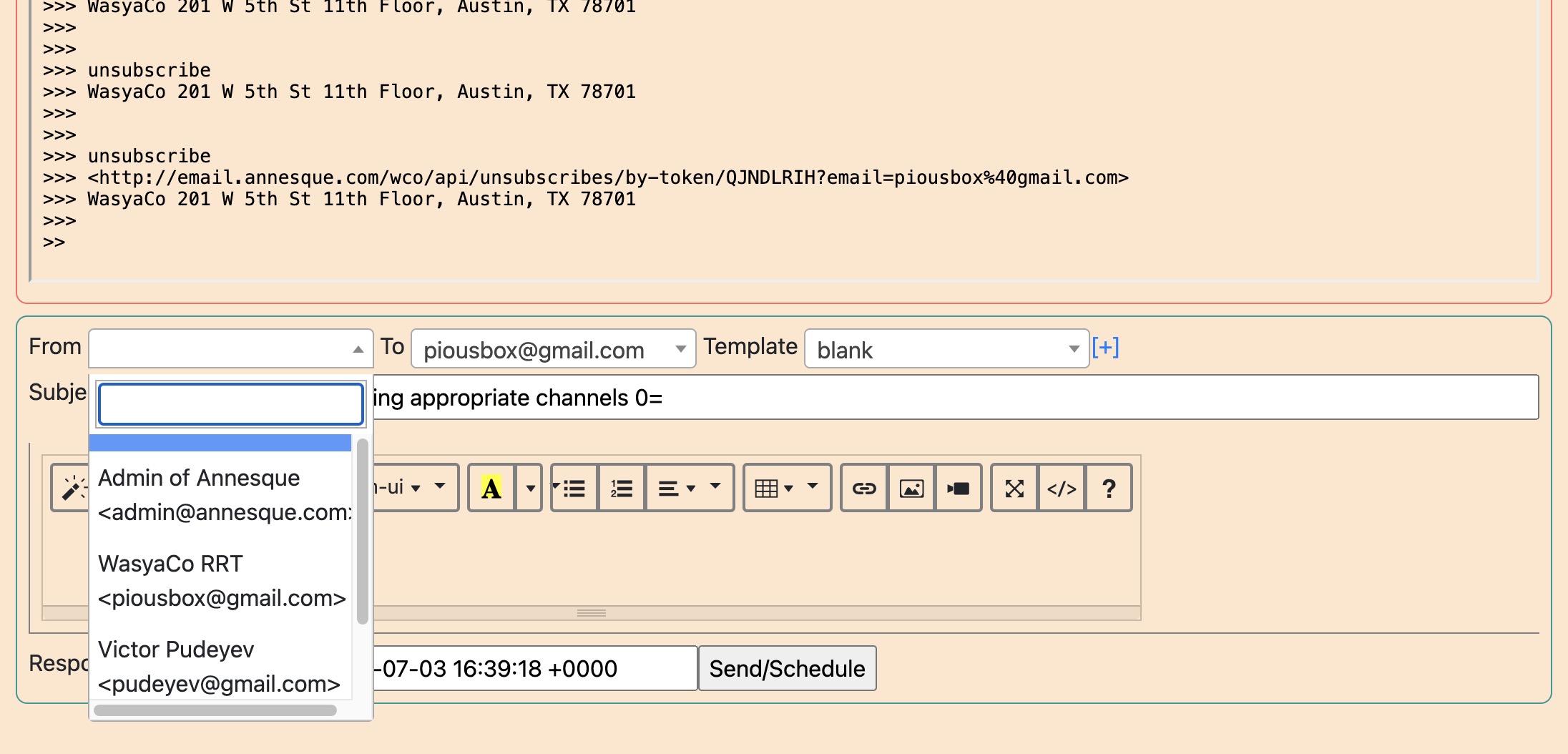
Esto es sólo una característica y ejemplo de cómo el cliente Annesque está haciendo una evolución en el correo electrónico, empujando el sobre y alemando, el usuario, la claridad y eficiencia que demandan los lugares de trabajo modernos.