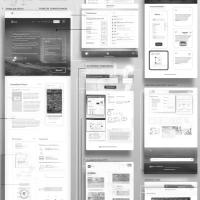
Usage of gamification and psychological rewards to drive sales
Image Thumb
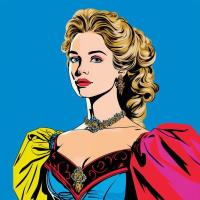
Gamification is the use of game design elements, principles, and mechanics in non-game contexts to engage people, motivate action, and solve problems.
Gamification is the use of game design elements, principles, and mechanics in non-game contexts to engage people, motivate action, and solve problems.

This is an example of setting up a NAT inside docker - in a fairly self-explanatory and minimal way. There are three examples that you can run in this setup: a positive example, a negative example, and a chatty positive example for debugging and demonstration purposes.
There are plenty of different painting styles that you can see in art throughout the centuries.
Famous Artists: Wassily Kandinsky, Pablo Picasso, Elaine de Kooning, Henri Matisse, Georgia O’Keeffe
Significant Works: Full Fathom Five by Jackson Pollock, Composition VII by Wassily Kandinsky, Mountains, and Sea by Helen Frankenthaler, Orange, Red, Yellow by Mark Rothko, Red Canna by Georgia O’Keeffe

Generated concept art.
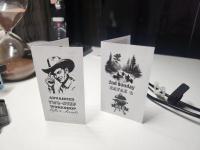
Some print material we've previously produced.

I recently wrote this utility... a mere function, really, to resize and scale a python image at the center. This way, I don't have to worry about how my images are being fed into an AI pipeline, if they all get scaled and cropped the same.
Additionally, while previously I used bash to rename files in a folder to sequential names such as 1.jpg , the current implementation ignores filenames, which saves me time when massaging the data.
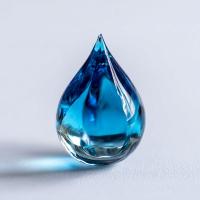
The issue stems from the preview being in an undefined style.
1. Go to configuration -> image styles and review the styles available. I have a style called "200x200 thumb".
2. After adding an image field to a content type, go to manage form display, expand the display of the image, and specify an existing style from step 1 as the preview style.
After taking these steps, the page for adding/editing this content type should render correctly.
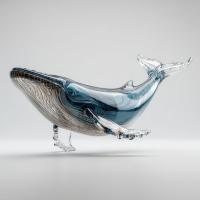

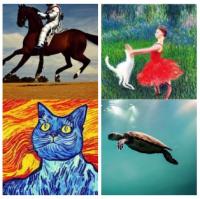
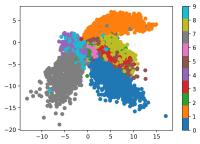
By Alexander Van de Kleut. But you may also want to read the VAE by Reza Kalantar.
Motivation
Number of used inodes (should be less than a million):
find /mnt/volume_sfo2_01/docker/overlay2 -xdev | wc -l
.
The problem was naming a local module with the same name as an imported module. I had a file called ./tokenize.py and moving it to ./run_tokenize.py solved the problem.
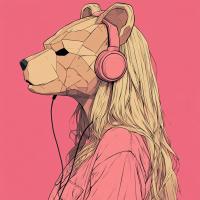
By Reza Kalantar. Also, take a look at another VAE by Alexander Van de Kleut.
Via chatgpt.
An easier example is to set the default title first:
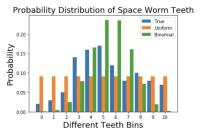
From Forward Data Science.
First of all let us build some ground rules. We will define few things we need to know like the back of our hands to understand KL divergence.
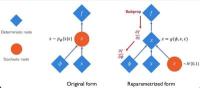
From Forward Data Science.

From synay.net.

Running this worked for me:
mysqlcheck --repair --all-databasesYou may need to add your credentials and hostname to the command.