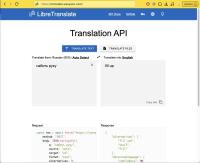
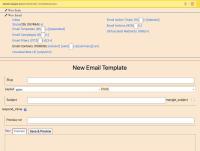
[FIXED]: Psych::AliasesNotEnabled: Alias parsing was not enabled. To enable it, pass aliases: true to Psych::load or Psych::safe_load
This happens on older versions of ruby and rails.
Solved by downgrading psych:
# Gemfilegem 'psych', '< 4'
This happens on older versions of ruby and rails.
Solved by downgrading psych:
# Gemfilegem 'psych', '< 4'
The solution is, make sure that the file /etc/fuse.conf has the following line:
user_allow_other
This article will outline how I deal with managing my own data, tasks, hardware, people, etc. This is the latest of many versions - continuous iteration across many revisions has been done!
As Wasya Co offers one-click deployments of several applications and stacks, it makes sense for us to track our competitors. Nothing is new under the sun, and turn-key web applications (appliances) have existed for quite some time. There are many, many solutions for deploying infrastructure as a service (IaaS, SaaS). Multiple industries support the general Installation & Provisioning specialization. Of note, Docker, which we use extensively in-house, provides "one-click" deployments at scale, and more.
while [ $# -gt 0 ]; do
case "$1" in
-p|--p_out=*)
p_out="${1#*=}"
;;
-a|--arg_1=*)
arg_1="${1#*=}"
;;
*)
printf "***************************\n"
printf "* Error: Invalid argument.*\n"
printf "***************************\n"
exit 1
esac
shift
done
This one is pretty easy. Between suffixes (namespaces), roots (what a thing actually is), and suffixes and all that, I like to use a suffix (a word-final thing, something that goes at the end of the word) that denotes the type of the thing (name, variable) being used. It probably sounds more complicated than it really is so here are some clarifying examples.
The following examples are either variable names, or properties of an object, or fields of a model, or methods in a class, or keys in a hash. Hopefully you get the idea.
When it says, something went wrong and teams could not be installed --
User TAFHBES published the answer on March 27, 2023:
"I had same problem on my iMac running Ventura on Intel. Problem went away when I placed installer in applications folder before running installer."
~ * ~ * ~ * ~
And this has worked for me. When I moved the installer to the Applications folder, it could finish the installation successfully.
~ * ~ * ~ * ~
You can do the following in your Gemfile, but then you'd have to switch the Gemfile between development and production, which is not recommended:
# Gemfile gem "foo", path: "/path/to/foo"
Alternatively, you can tell Bundler to use a local gem in your current environment. This is preferred as the Gemfile still points to the production version of the gem. Run this in shell:
bundle config set local.GEM_NAME /path/to/local/git/repository
If visual code opinionates about what you are typing, and you want it to stop, then perhaps you are looking for this setting:
"editor.acceptSuggestionOnCommitCharacter": falseDon't forget to backup your configuration file ~/.config/Code/User/setttings.json to be able to load it from backup later!
And while I have your attention, let's talk about configuring this text editor.
tl;dr: I decided not to do it.
Since Enzyme is obsolete as of React 18, you would use <render /> and not <mount />. Therefore, you don't have a wrapper to manipulate and observe the state of the component being tested.
Furthermore, I'm really only testing the component because it's a best practice, and because of the expectation of future complexity. The state change itself is trivial:
The solution for me was to clear Jest cache:
./node_modules/jest/bin/jest.js --clearCache
Seeing this ^ error and currently don't know how to fix it. It happens only on some of my (presumably identically configured) websites. This is happening when a user attempts to post any comment.
Turns out, this was due to a workflow rule that attempted to email the author of a parent-comment and notify them that their comment has been replied to. Since there is no parent comment, there is no email to send a message to, which was causing the error.
This is a non-obvious error I've observed in my docker containers running symfony on debian 11.
Found the solution on stack overflow. Re-installing the gpg key solved it:
wget https://packages.sury.org/php/apt.gpg apt-key add apt.gpg
Options trading is a complex field filled with various strategies and concepts that can influence the price movement of underlying assets. One such concept that traders often discuss is the "Options Max Pain." Understanding this concept can provide traders with insights into potential market behavior, especially as options expiration approaches. This article will explore what Options Max Pain is, how it's calculated, and its potential implications for traders.
The Brave browser strives to be an independent browser, neither controlled by Google, nor by Microsoft, nor by any other evil mega-corp like Amazon or Facebook. Unfortunately, it still keeps asking the user to update it, and does not give the option to reject the update without extra tweaking. (As reminder to corporations and developers: no means no. There is no "maybe later". It's a flat out no.)
With the recent politicizing agendas, it's worth mentioning that old versions aren't necessarily worse, and new versions aren't necessarily better. In case they disappear elsewhere, below you can find the instructions for installing Font Awesome v4.
You can download the package here: https://fontawesome.com/v4/assets/font-awesome-4.7.0.zip
As we delve into the market conditions of July 2024, a complex tapestry of economic factors comes into focus. This mid-summer month has been marked by significant events and trends that have shaped the financial landscape. From fluctuations in stock markets to shifts in commodity prices, and from economic policy changes to global geopolitical developments, July has been a month of noteworthy market activity.
Solution: Go to File -> Document Properties
You will be able to change the canvas size from there.

I would like to thank Carsten Savage and Tyler Bowers for his fantastic YouTube video and the GitHub repo which are another tremendous resource for getting started with Schwab’s Trader APIs.
A cloud-based software installation refers to the deployment and use of software applications that are hosted on remote servers and accessed via the internet. Instead of being installed locally on individual computers or servers, the software resides on cloud infrastructure managed by a third-party provider. Users can access and use the software through web browsers or dedicated client applications, enabling them to leverage the benefits of scalability, flexibility, and remote accessibility.
Ruby on Rails, often simply called Rails, is a web application framework written in Ruby. It was created by David Heinemeier Hansson and released in 2004. Rails is designed to make programming web applications easier by making assumptions about what every developer needs to get started. It allows developers to write less code while accomplishing more than many other languages and frameworks.
First published on 2022-12-02
Hello all! In this article, I outline my local docker setup for developing wordpress plugins and themes. I use docker to run local mysql (multiple versions) and php (multiple versions) as well as manage the wordpress installed plugins. Furthermore, I use the same setup for deploying to production, so it is particularly useful.
The majority of configuration resides in Dockerfile and docker-compose.yml, however, I also have a few scripts and naming formalisms that facilitate development and rational thinking.
Although we will not be using these screens, they have been made for a client in order to move a prototyping project forward.
First published on 2023-07-13.
Working on a UI for a data visualization tool.
This screen will present some derivatives position in a new and innovative way, allowing humans' excellent natural pattern recognition to kick in, when analyzing trading data. Preparing to roll to a next position:
This article was first published on 2023-07-05
Suppose you want to serve some paths with rails, and some other paths with wordpress. or you want the app to serve rails pages if they are available, and fall back on wordpress otherwise.
I've recently had to re-do this. This has happened too often for me, and it's just very annoying in general. There are many problems (and offered solutions) around /etc/hosts file, for chrome only as well as for the os x generally. I've noticed that the /etc/hosts file works just fine for curl, but does not work for chrome. This led me to believe that the problem was a chrome setting, but upon fixing it, I am less certain that Chrome is the culprit. My solution is below. Basically, the host file needs to be ASCII-compliant. I've had that file soft-linked and modified by a number of actors.
I run into this just now. The wrong way:
results = ActiveRecord::Base.connection.execute("select * from users limit 10")
The right way:
results = ActiveRecord::Base.connection.exec_query("select * from users limit 10")
Somehow the formet executes the query without returning a result. If you want to actually see the results of SELECT'ing something, use the latter query. (Which also means that you probably want to use the former for INSERT'ing, though I have not verified.)
The solution is to edit these lines in /etc/php/8.1/apache2/php.ini :
upload_max_filesize = 64M post_max_size = 64M memory_limit = 64M