News Production Studio: Updates
Image Thumb
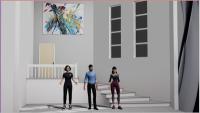
2026-08-24 added shadows, the 3rd speaker, and ability to select (and resize) the scene.
2026-08-24 added shadows, the 3rd speaker, and ability to select (and resize) the scene.

I have installed a dolibarr demo and made it available as one of the hosted applicanes offered by WasyaCo.
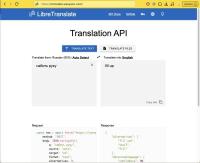
We are proud to announce that WasyaCo has deployed its own copy of the free and open-source libretranslate service.

In the digital age where information is abundant and easily accessible, the issue of plagiarism has become more prevalent than ever. As writers, educators, and content creators strive to maintain integrity and originality in their work, the need for reliable plagiarism detection tools has become indispensable. In this blog article, we delve into a concise review of several online plagiarism detection tools, exploring their features, effectiveness, and user-friendliness.
Do you have a lot of images from AI in a 2x2 grid? Do you want to separate them into singles, but it's just so time consuming? Fear not, with imagemagick you can do it in one line, like so:
find . -maxdepth 1 -iname '*png' -exec \
 convert {} -crop 2x2@ {}_%d.jpg \;

Recently wrote this utility, to resize and scale a python image at the center. This way, I don't have to worry about how my images are being fed into an AI pipeline, if they all get scaled and cropped the same.
Additionally, while previously I used bash to rename files in a folder to sequential names such as 1.jpg , the current implementation ignores filenames, which saves me time when massaging the data.